
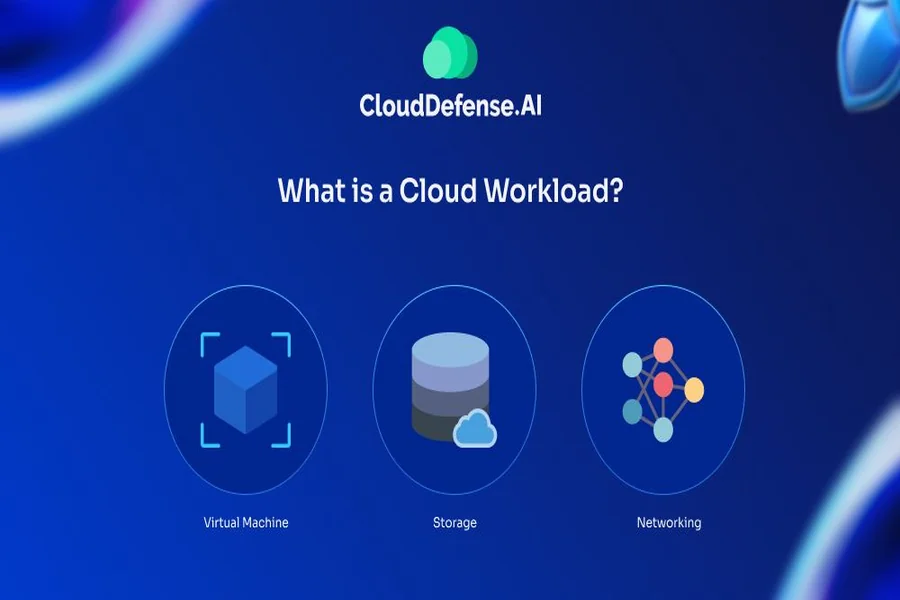
When individuals begin to study about cloud technology, one of the initial queries that arises is: What Is A Workload In Cloud Computing? It might be a bit technical to hear, however, the concept is simple and quite practical.
In cloud computing, workload is any task or application or process consuming computing resources. This may involve operating a site, handling data, operating databases or even video streaming. Each time a system plays a role in an action using cloud resources, it is managing a workload.
Workloads are vital to understand and affect directly how effectively your system will work, your cost to scale on cloud services, and the performance of your applications as demand grows. You may be a new employee, or have a growing business, but understanding how workloads work can ensure that you make smarter decisions.
An awareness of the Concept of Workloads in the Cloud
A workload in cloud computing is simply a combination of work and resources to carry out the work. These resources consist of processing power, memory, storage and networking.
So say you are running an e-commerce site, then you can do everything on it; respond to user inquiries, process payments, and inventory updates. Both these activities use cloud resources on-demand.
The workloads may differ drastically based on the type of the application. Some are light and demand few resources whereas others are heavy and demand a lot of performance. One of the largest benefits of cloud computing is that its flexibility enables business to dynamically allocate resources according to workload needs.
The other key issue is that the workloads are not fixed. They vary with time (activity of users), time of the day or season. This dynamism characterizes cloud environments to be good in handling contemporary applications.
Various Cloud Workloads
Cloud workloads are various and being aware of these differences aids in the selection of the appropriate infrastructure and services.
Transactional workloads are one of the common ones and are employed in applications where real-time data processing is needed. They are commonly used in banking systems, online shops and reservation systems where speed and accuracy is essential.
The other category is batch workloads, where large amount of information are processed at set periods as opposed to real-time. This is commonly used by business enterprises to perform analytics, reporting and data backups.
Containerized workloads are also available and are bundled with their dependencies and are capable of operating across various environments with consistency. This kind has gained popularity owing to its portability and efficiency.
Moreover, high-performance workloads are present, which demand much computing power. They are commonly applied in scientific studies, artificial intelligence, and processing of big data.
The needs of each of the types of workloads are different, and cloud providers provide special tools to manage them.
The Significance of the Workloads in Cloud Computing
The core of cloud computing is workloads since it defines the utilization of the resources and system performance. And there would be no cloud infrastructure at all, without workloads.
Cost efficiency is one of the most important reasons why workloads are important. Cloud computing platforms are generally run on a pay-as-you-go basis, i.e., you just pay what your workload is using. Failing to optimize workloads can result in businesses paying a higher price than they need to.
One of them is performance. The correct control of workloads will make sure the applications operate without any problems even at peak times. It is particularly crucial in companies that are dependent on the experience of the user, like internet services and applications.
Scalability is also dependent on workloads. Clouds, with an increase in demand, can augment resources automatically to meet the increased workload. This eliminates the need for manual upgrades and reduces downtime.
Another factor is security. Various workloads might need various security practices and by knowing them, it is easier to safeguard sensitive data and ensure compliance.
The workloads managed by Cloud Providers
Cloud service providers employ sophisticated technologies to ensure the effective management of workloads. Virtualization is one of the most significant strategies that enable a number of workloads to be executed on a single physical equipment without disturbing one another.
Another key approach is automation. Cloud systems are capable of automatically scaling resources, where the workload may demand them to increase or decrease. To illustrate this, when there is a sudden increase in traffic on a given site, the system is capable of providing additional resources on the fly to ensure performance is not compromised.
Load balancing is also much in use to balance workloads across servers. This avoids the overloading of any one server and provides reliability.
Moreover, orchestration tools are used to coordinate various services and processes to handle the complicated workloads. These are particularly applicable in large scale setups in which many applications are running concurrently.
All these technologies are integrated in order to provide a smooth experience to the users and also optimize the use of resources.
Problems with Controlling Cloud Workloads
Although there are numerous benefits of cloud computing, workloads cannot be handled without challenges. One of the main issues is resource allocation. When there is an imbalance between resources in relation to workload the result would be either underperformance or unwarranted expenditure.
Monitoring is another challenge. Workloads should be monitored so that they are running optimally. It may be hard to detect the performance issues or bottlenecks without adequate monitoring tools.
Multiple workloads also create security issues particularly within the shared environments. It is important to make sure that every workload is isolated and safeguarded.
Multi-cloud environments and hybrid environments are also complex. Workloads management on various platforms may prove difficult and need to be properly planned.
Nevertheless, with the right strategies and tools, businesses have been able to handle workloads, and fully utilize cloud computing despite these challenges.
Best Practices to optimize cloud workloads
Best practices in cloud computing management: It is essential to manage workloads so as to reap maximum benefits of cloud computing.
Among the practices is right-sizing resources. This is to ensure that there is allocation of resources to adequately satisfy the workload, without over-allocating.
Continuous monitoring is another valuable method. Monitoring performance indicators allows businesses to easily spot and fix problems before they affect customers.
Wherever possible automation should also be utilized. Scaling and management are automated and minimize human work and enhance efficiency.
It is also important to regularly review and update workloads. Workloads need to be varied with change of business needs to ensure optimal performance.
Lastly, the security-first framework will make certain that every workload is safeguarded against possible attacks.
Final Thought
Knowing what is a workload in cloud computing is a basic thing that anybody dealing with modern technology ought to know about. Not only is it a technical concept but it is a practical concept, which has a direct impact on the performance, cost and scalability.
As the adoption of the clouds is evolving, only those businesses that learn and manage their workloads will have a clear advantage. Organizations can make sure that their cloud systems will provide the greatest value by emphasizing efficiency, security, and adaptability.
Ultimately, the workloads are the lifeline of cloud computing, as they make it run simple applications to sophisticated digital ecosystems.
FAQs
What is a workload in cloud computing in simple terms?
A workload in cloud computing is any task or application that uses cloud resources such as processing power, storage, or memory to perform its function.
Can a single application have multiple workloads?
Yes, a single application can consist of multiple workloads. For example, a web app may have separate workloads for user requests, database operations, and background processing.
Why are workloads important for scalability?
Workloads determine how resources are used. When managed properly, they allow cloud systems to scale automatically based on demand, ensuring consistent performance.
Are workloads the same in all cloud environments?
No, workloads can vary depending on the type of cloud environment, such as public, private, or hybrid cloud. Each environment has different requirements and configurations.
How can businesses optimize their workloads?
Businesses can optimize workloads by monitoring performance, using automation, right-sizing resources, and regularly updating their systems based on changing needs.
